JP MERCURYSOFTWARE & AI COMPANYLet's talk
Retail and purchasing

Vorxio↗

The right supplier for every item.

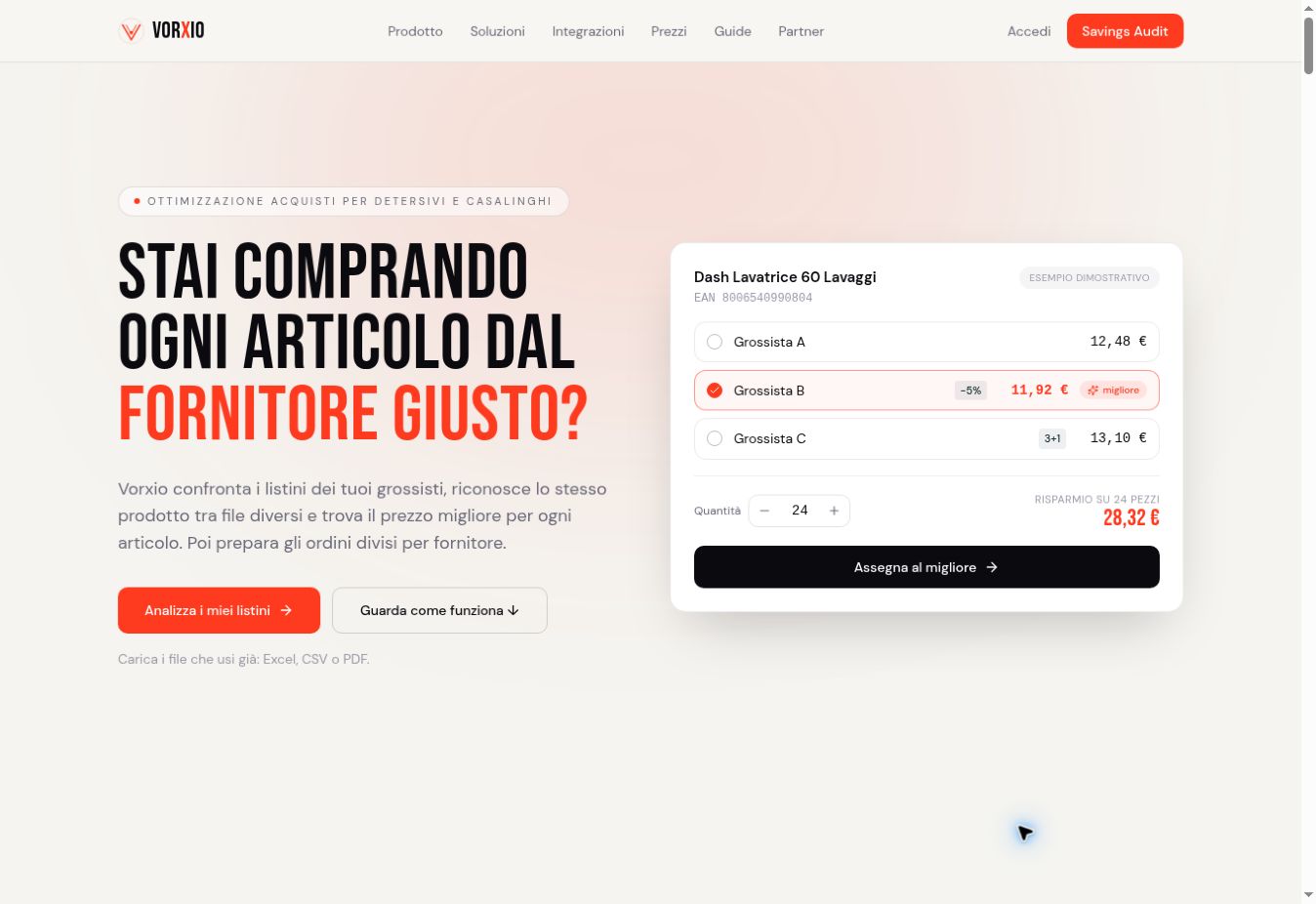
Vorxio connects purchasing decisions with daily store operations. It compares wholesalers’ price lists, prepares orders, and helps you check what arrives and what you’re invoiced for. Point of sale, inventory, mobile features including offline access, and data queries with Ask are part of one workflow for cleaning and household goods retailers.

Visit Vorxio Let’s talk about Vorxio
Public page on the Vorxio websiteapp.vorxio.com
THE CONTEXT / 01EVERY PROJECT STARTS WITH A QUESTION.
THE PROBLEM

The
starting point.

Each wholesaler sends files with its own codes, descriptions, and terms. Retailers must identify the same item across lists, decide where to buy it, and check that the delivery and invoice match. Meanwhile, what’s on the shelves, what sells, and stock levels keep changing. Bringing those details together saves having to piece them together at every step.

THE APPROACH

How the response
takes shape.

Vorxio imports Excel, CSV, and PDF price lists and matches products, including by EAN code. It groups orders by supplier and compares the order, goods received, and invoice. Point of sale, inventory, and mobile features, together with Ask, help you look up the store’s operational data.

WHO IT’S FOR

Cleaning and household goods retailers that buy from multiple wholesalers and want to connect price lists, orders, and store operations.

Inside
Vorxio.

The features and decisions that shape the project.

↗

Price lists and EAN matching

Compare wholesalers’ Excel, CSV, and PDF files. Identify products using EANs where available, then review prices and terms side by side.

↗

Orders by supplier

Collects the items you need to buy and prepares orders by wholesaler, taking into account the available offers and the preferences set for your store.

↗

From order to invoice

Connect the order, the goods received, and the invoice to flag discrepancies and help verify quantities and terms across your store’s purchasing process.

↗

Point of sale and inventory

Brings point of sale and inventory management together, so you can see sales, products, and stock levels alongside the store’s replenishment and purchasing needs.

↗

Mobile access, including offline

Use a smartphone for store tasks, including offline where supported, to note what’s needed while walking the aisles and keep working throughout the day.

↗

Ask: questions about your data

Lets you ask questions about available data in a conversational interface, so you can explore store information and find answers relevant to your work.

THE PROCESSONE STEP AT A TIME.
01

Bring price lists together

Import wholesalers’ Excel, CSV, or PDF files and compare the products the system matches, including by EAN.

02

Prepare your orders

List what your store needs, review the offers, and organize purchases by supplier based on your preferences.

03

Check what arrives

Link the order, goods received, and invoice, then review any discrepancies found during purchasing.

04

Follow your day-to-day operations

Use point of sale, inventory, and mobile tools to track operations. Ask lets you explore the available data by asking questions in natural language.

GOOD TO KNOW

A few questions
before you explore.

Which files can I use to compare suppliers?

Start with wholesalers’ Excel, CSV, or PDF price lists. Products are matched using the available data, including EANs. The legibility and completeness of the files affect the comparison, so review the matches.

Does Vorxio cover what happens after an order is placed?

The workflow compares the order, goods received, and invoice to flag discrepancies. Point of sale, inventory, and mobile features, with offline access where supported, connect purchasing to daily operations. Ask lets you query the available data in a conversational format.

THE CONNECTION CONTINUES.

Bring Vorxio
into your work.

Visit Vorxio Ask us for details ← Back to the ecosystem